
October 19, 2026
Mobile Grooming Route Planning: How to Spend Less Time Driving and Groom More Dogs
Learn how mobile dog groomers cut drive time with neighborhood scheduling, time windows, and smarter route planning.
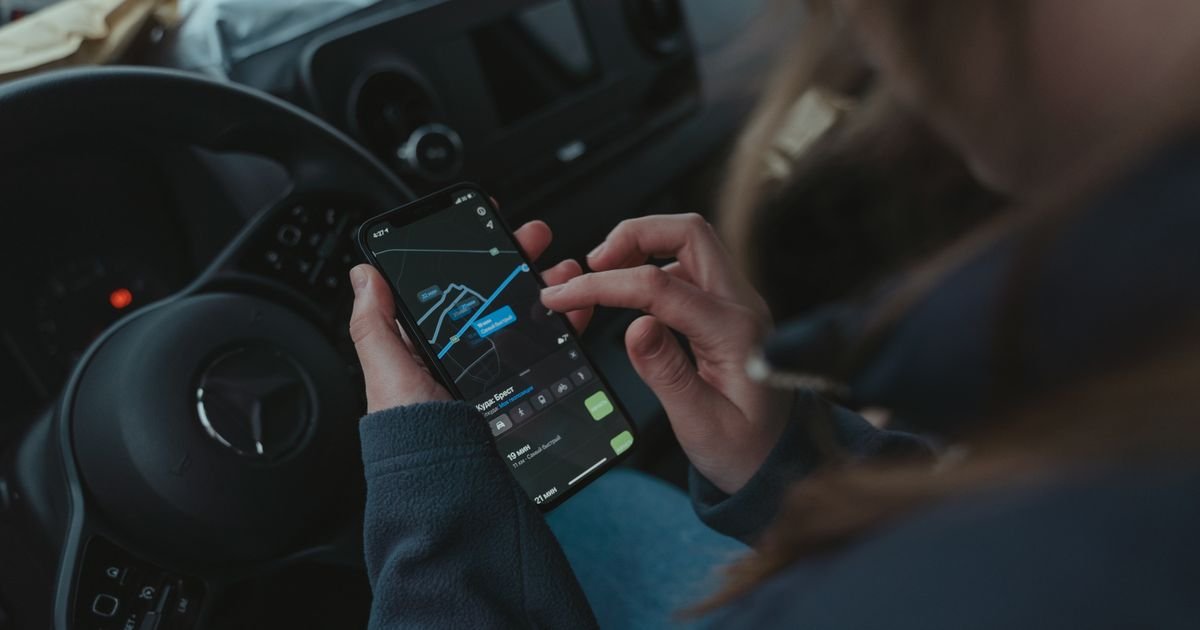
In a salon, your biggest constraint is the number of tables. In a mobile business it is the hours the van spends moving instead of grooming. A bad route burns fuel, daylight, and energy. A good one lets you fit another dog into the day, finish earlier, or simply drive less.
The difference is often just a little planning. This guide covers the techniques mobile groomers use to tighten routes, with or without software.
Key takeaways
- Cluster appointments by neighborhood and avoid bouncing between areas.
- Assign neighborhoods to days, and quote clients days that match their address.
- Offer arrival windows, never moving a client outside the window they agreed to.
- Build 15 to 20 minutes of buffer into each new appointment.
- Review every generated route by hand and re-plan when anything changes.
Why routing matters
Suppose you groom six dogs and each drive takes 25 minutes. That is two and a half hours behind the wheel. Cut each drive to 12 minutes and you recover more than an hour: enough for another appointment, a real lunch, or an earlier finish.
Driving also costs money. The IRS sets the 2026 business standard mileage rate at 72.5 cents per mile. That is a tax figure, not your exact cost, but it is a useful yardstick: 40 miles of avoidable driving a day is roughly $29 by that measure, before you count your time.
The golden rule: avoid geographic ping-pong
The most common mistake is bouncing between areas: north in the morning, south at noon, north again at four. Each crossing costs 30 to 45 minutes you never get back. The fix is clustering. Group appointments by neighborhood and schedule each cluster on the same day or in the same half of the day. If you can, work from the farthest stop back toward home, so a late finish never means a long drive.
Step 1: Look at your clients on a map
Plot your regular addresses, even on a paper map. You will often find clusters you had not noticed, and a few outliers that account for most of your wasted driving. For those you can use a dedicated day, a travel fee, or a polite no to new bookings far outside your usual area.
Step 2: Assign neighborhoods to days
For example: Monday and Thursday for the north side, Tuesday and Friday for the east, Wednesday for downtown. When a new client asks for a slot, offer days that match their address. Clients learn this quickly and often like the predictability. Some groomers add a small premium for clients who insist on a day outside their zone.
Step 3: Use time windows, not exact times
Exact times look professional but make routing rigid. Instead of promising 10:00, offer a two-hour window such as 9:30 to 11:30 and message the client when you are on your way. Two rules keep this honest: never move a client outside the window they agreed to, and re-confirm with them before you change anything.
Step 4: Build in buffer time
Even a good route fails if every stop runs exactly to plan. Dogs shed more than expected, owners chat at the door, parking takes longer, and some coats are worse than the notes said. A common recommendation among mobile groomers is roughly 15 to 20 minutes of buffer for each new appointment, plus a few extra minutes per stop for setup and cleanup. A day with a buffer feels calm. A day without one feels like a chase.
Try RouteWag free for 15 days. Tired of planning routes by hand? RouteWag's Optimize Route feature orders your day's stops using real map data and shows estimated drive times. Start your free trial
Step 5: Check the route by hand
Software can suggest a route, but it does not know your clients. Read any route stop by stop and picture the drive. Does it flow geographically? Are all time windows respected? Would a cancellation leave a gap you could easily fill? Does the last stop leave a reasonable drive home?
Step 6: Re-plan when things change
Re-check your route whenever a client cancels or reschedules, a booking arrives, an address changes, or traffic shifts. Addresses deserve special care: a typo or missing apartment number can send you to the wrong place or distort your whole day.
RouteWag turns the address a pet owner types on your booking form into a map location automatically. If it cannot be found, the Clients page shows "Not found on map" with options to try again or fix the address, so a typo does not quietly ruin a route. Address lookup currently covers addresses in the United States.
Step 7: Use an optimizer, but treat it as a first draft
Route tools save the most time once you have more than a handful of stops. They calculate drive times and suggest an order. RouteWag's Optimize Route feature does this from your dashboard using real map data. If the map service is temporarily unavailable it falls back to straight-line estimates, so you still get a usable plan. Whatever tool you use, apply your own judgment before you commit.
Step 8: Track a few numbers
Each week, note total drive time per day, dogs groomed per day, average minutes between stops, and revenue per hour including driving. When one day averages two hours of driving and another 80 minutes, you know where to focus. Our guide to per-appointment profit shows how to put a price on that driving.
Frequently asked questions
How many dogs can a mobile groomer fit in a day?
It depends on coat types, drive times, and your stamina. Many mobile groomers report around four to six dogs a day. Tighter routes let you fit one more without rushing, but packing a day to the limit usually backfires.
Should I offer exact appointment times or windows?
Windows give you room to optimize the route. If you do offer exact times, treat them as firm promises and build your route around them.
How do I handle clients far outside my main area?
Serve them on a dedicated day, charge a travel fee, or decline new bookings there. Our guide to pricing mobile grooming explains travel zones.
Is route optimization software worth it?
Once you have five or more stops a day, a tool that orders stops and shows drive times usually saves more than it costs. Use it as a first draft and review the result.
Conclusion
Routing is not glamorous, but it is one of the cheapest ways to improve a mobile grooming business. Cluster your stops, assign neighborhoods to days, use time windows, keep a buffer, and re-plan as things change. The hours you save are yours: spend them grooming another dog or going home earlier.
Ready to spend less time on admin and more time grooming?
RouteWag is built for mobile groomers: an online booking page for your clients, address lookup, an optimized daily route, and automatic reminder emails, all in one place.
- 15-day free trial.
- Plans from $29 per month, or $264 per year, with a 14-day money-back guarantee.
Start your free trial | See how RouteWag works
Have a question first? Use the chat bubble on routewag.com and our team will reply.
Sources and further reading
- Internal Revenue Service, "IRS sets 2026 business standard mileage rate at 72.5 cents per mile, up 2.5 cents" (announced 29 December 2025): irs.gov
- Related guides: Holiday grooming season, Online booking for mobile groomers.